Invoicing
From tracked hours to a sent invoice in under a minute
Pick a client and a period, choose how to group the lines, and LockedHours builds the invoice from uninvoiced time and expenses. Send it as a PDF with your logo, let clients view it online, and record payments as they arrive.
- No card needed
- $6 per seat, locked
- Every feature included
Invoicing highlights
Built from your hours
Group lines by project, task, person or every entry. Expenses come along too.
Reminders that chase for you
Overdue invoices get polite reminders on a schedule you choose.
Recurring invoices
Retainers and fixed monthly fees go out on their own, or wait as drafts.
See it work
Recorded in the real product
No mock-ups: this is LockedHours today, with a demo account.
What happens in this clip
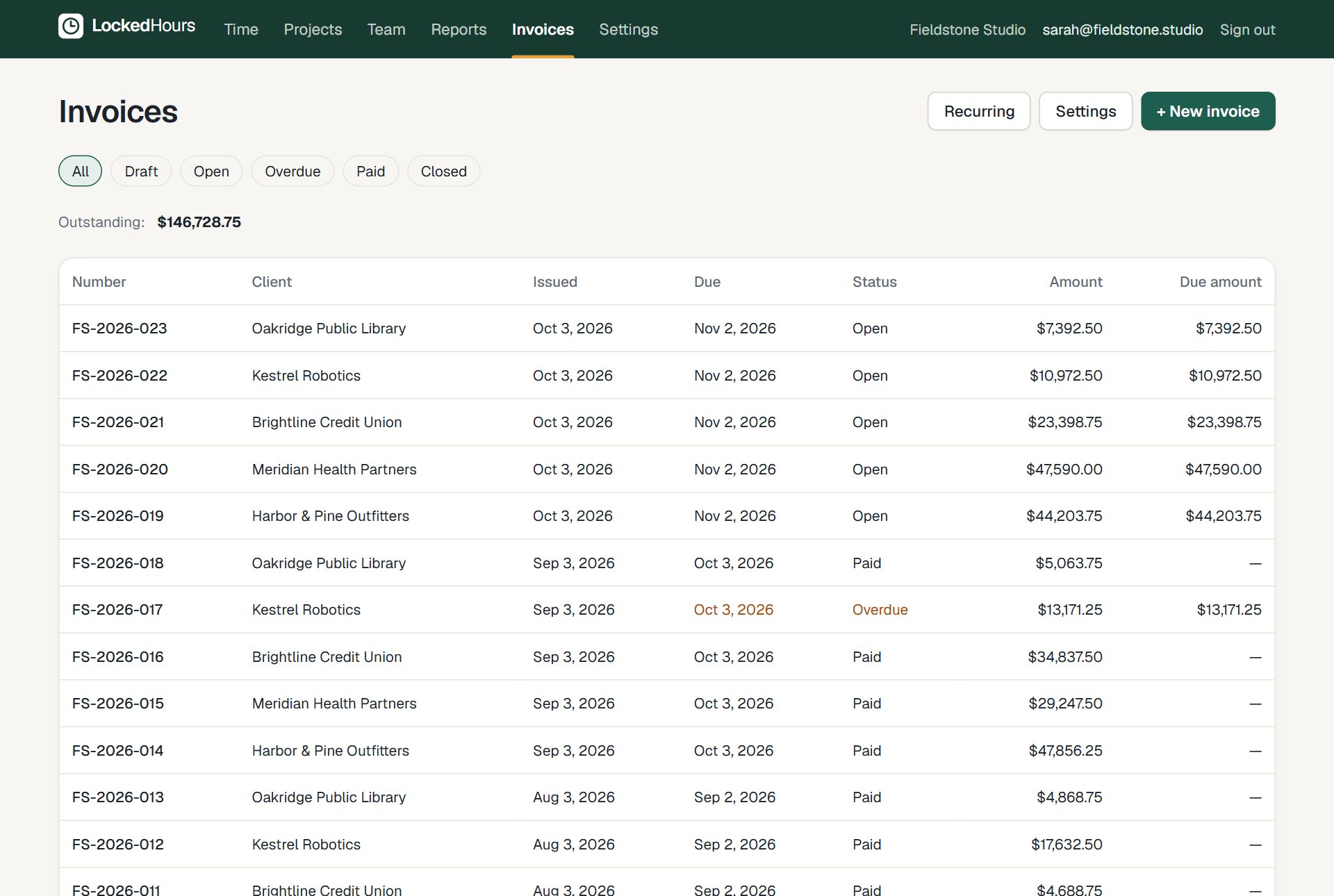
- The invoices list shows paid and open invoices.
- New invoice is clicked; a client is chosen and lines are grouped by person.
- Create draft builds the invoice from the client's uninvoiced hours and expenses.
- The invoice is marked as sent.
Create
Choose what goes on it, we do the maths
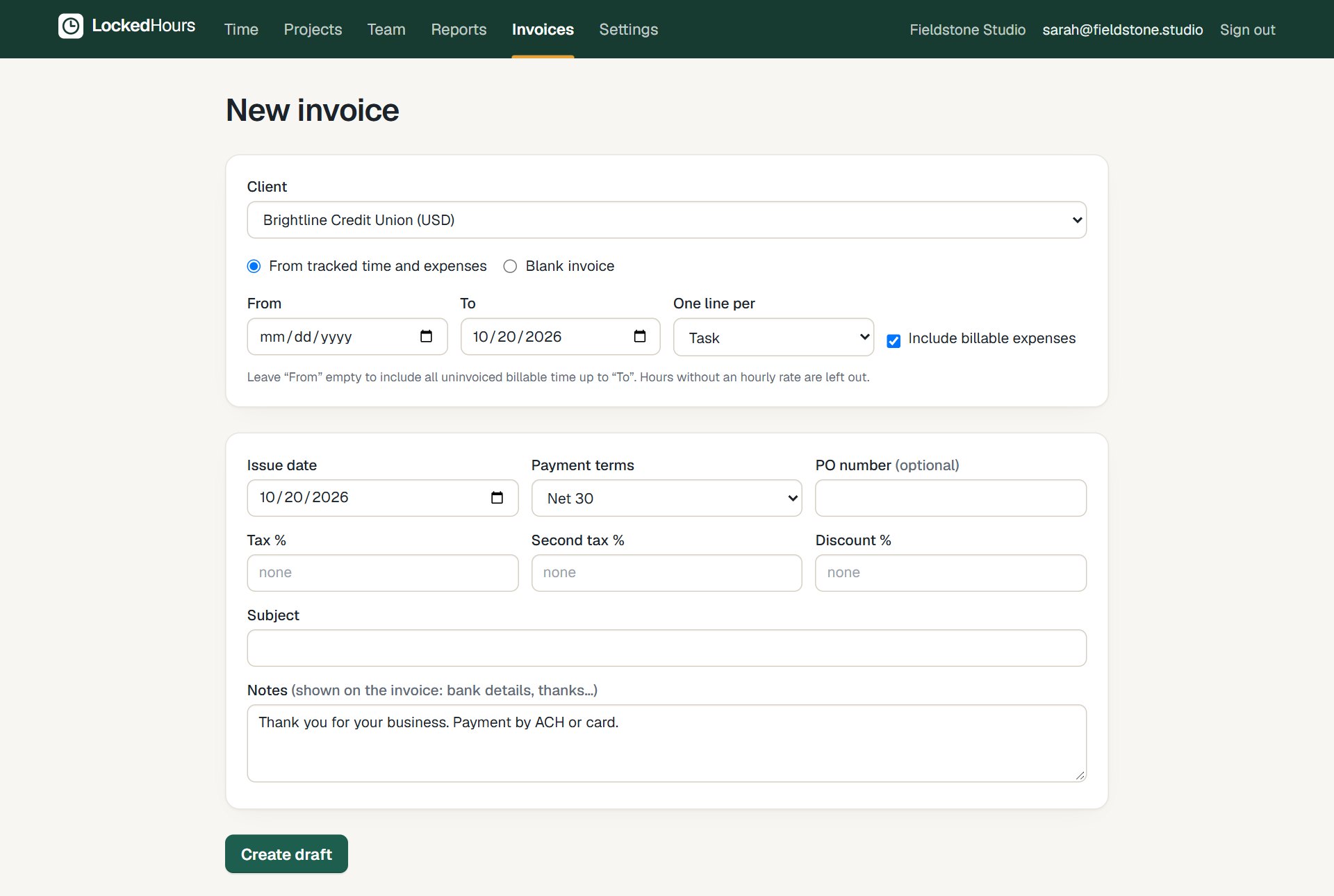
Select the client and dates, and how detailed the lines should be. Taxes, discounts and payment terms come from your settings and can be changed per invoice.
- One line per project, task, person or entry
- Two taxes and a discount, applied per line
- Your numbering format, e.g. INV-2026-0042
Send and get paid
A clean invoice your clients can open anywhere
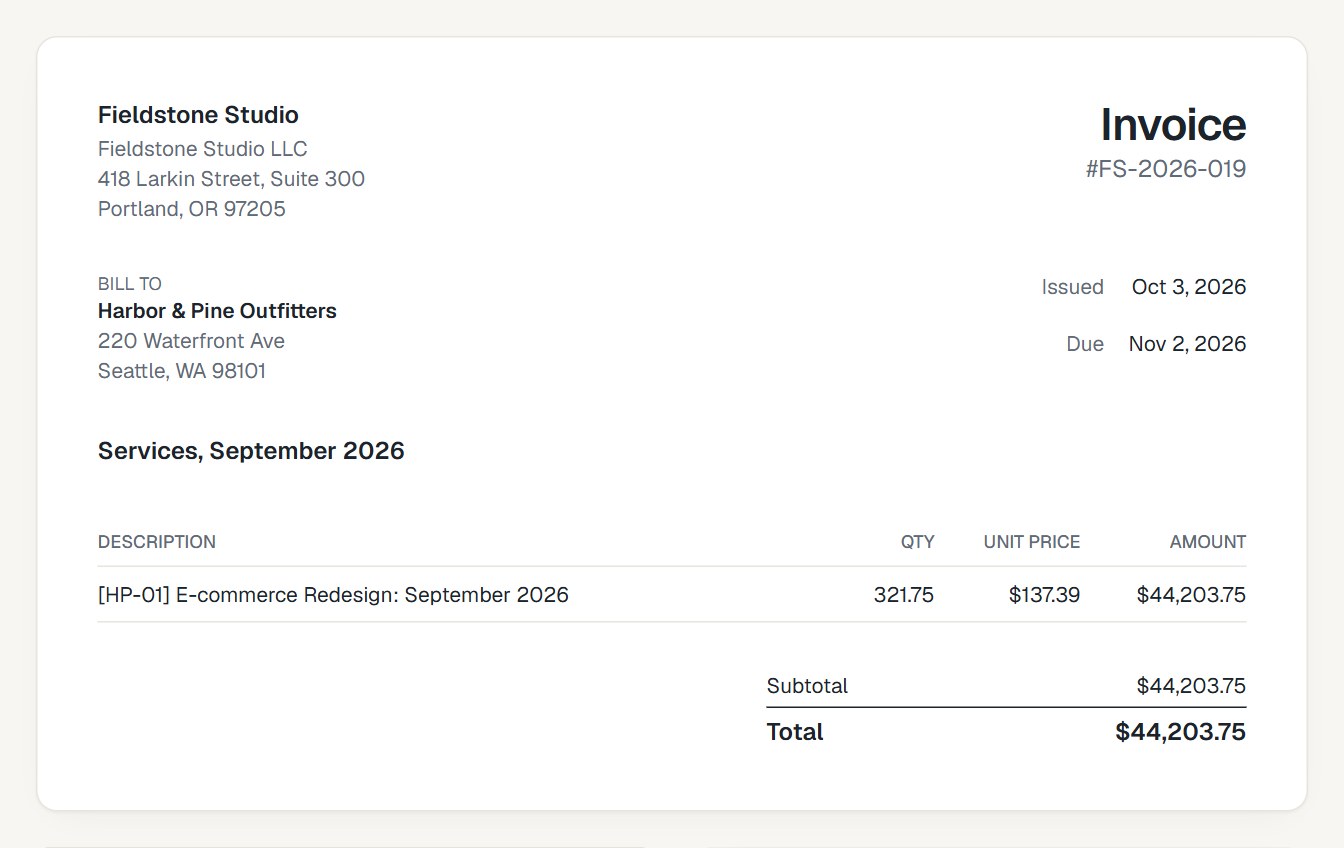
Send by email with the PDF attached and a link to view it online. Record full or partial payments; the invoice shows what's still due.
- PDF with your logo and business details
- Online view link for your client
- Paid, open, overdue and draft at a glance
How it fits together
From the first hour to a paid invoice
Time, budgets, invoices and reports share the same data, so nothing is typed twice.
- 1
Track
Timer or timesheet, on any device.
- 2
Review
Budgets and reports update as you go.
- 3
Bill
Uninvoiced hours become an invoice.
- 4
Understand
See what each project really earned.
Questions about invoicing
Something else? Email us. We aim to reply within 2 business days.
Related
Guides
Can clients pay online?
Not yet. Card payments are on the roadmap. Today you record payments when they arrive (bank transfer, check, card).
Are invoiced hours protected?
Yes. Hours on an invoice are locked, so the invoice and your reports always agree.
Does it support taxes and discounts?
Yes: two tax rates, chosen per line, and a discount on the subtotal.
Can I change an invoice after sending it?
Drafts, yes. Once issued, an invoice keeps its number, lines and totals; you correct it with a credit note that references it, as most tax authorities expect. Numbers run in order without gaps.
Is it a certified e-invoicing system?
No. LockedHours produces PDF invoices (plus a UBL file you can pass to an e-invoicing provider); it isn't certified for country-specific e-invoicing or reporting schemes. Businesses based where those are mandatory, such as Spain, Portugal, Italy or Poland, can track and prepare invoices here but issue them from their certified software.