Team & rates
The right access and the right billable rate for everyone
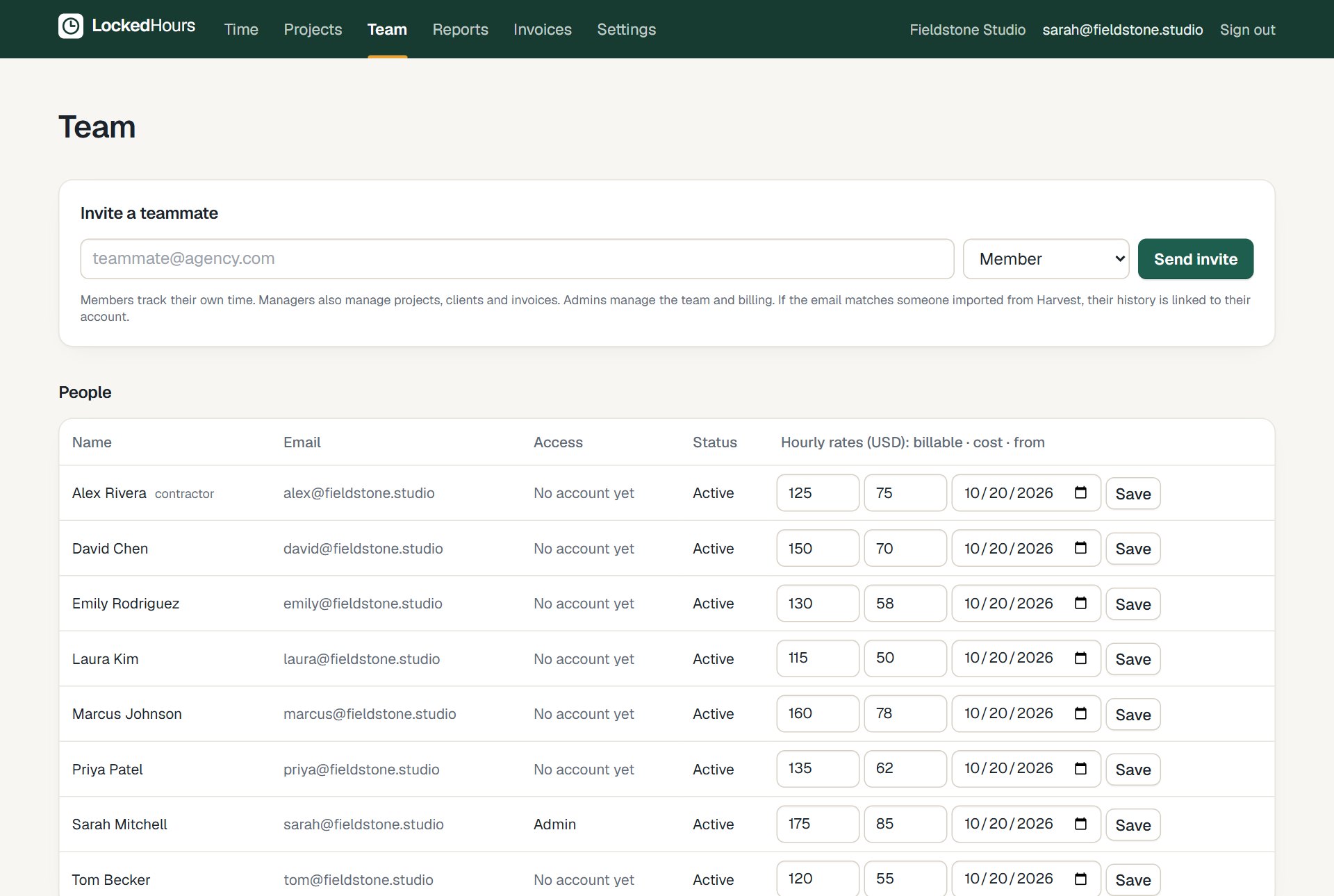
Invite people in seconds and give them the access they need. Set billable and cost rates per person, project or task, keep the history when rates change, and let every report and invoice use the right number automatically.
- No card needed
- $6 per seat, locked
- Every feature included
Team & rates highlights
Three clear roles
Admins run the account, managers run projects, members track their time.
Rates with history
Billable and cost rates per person, with start dates, so old work keeps old rates.
Money stays private
Members never see rates or amounts; managers see what they manage.
Rates
Bill by project, by task or by person
Set a rate once at the right level and LockedHours applies it to every entry. Change a rate from a date and history stays as it was.
- Default, project, task and person rates
- Cost rates for profitability
- Rate changes from a start date
Utilization
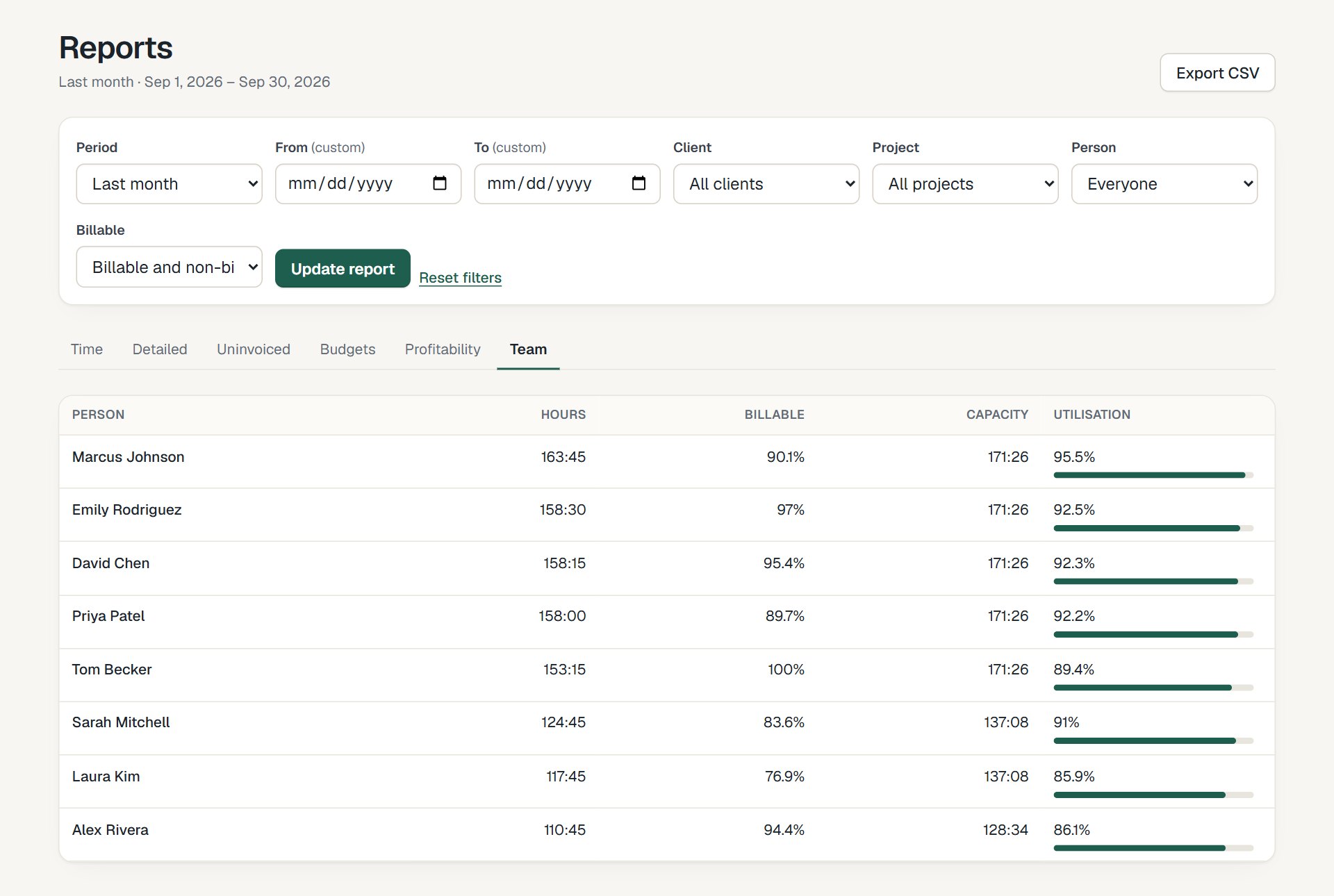
See capacity and utilization per person
Weekly capacity per person and the share of billable time, for any period.
- Hours, billable hours and percent
- Capacity from each person's weekly hours
- Export to CSV
How it fits together
From the first hour to a paid invoice
Time, budgets, invoices and reports share the same data, so nothing is typed twice.
- 1
Track
Timer or timesheet, on any device.
- 2
Review
Budgets and reports update as you go.
- 3
Bill
Uninvoiced hours become an invoice.
- 4
Understand
See what each project really earned.
Questions about team & rates
Something else? Email us. We aim to reply within 2 business days.
Related
Guides
How are seats counted?
Anyone who can sign in and track time is a seat. Deactivated people keep their history and don't count.
Can contractors track time?
Yes. Contractors track time like everyone else, with their own billable and cost rates.
Can I invite people who already have imported history?
Yes. When they accept, their account links to the person and history that came across in the import.