Reports
Time reports that answer the questions you actually ask
Where did the hours go this month? What hasn't been invoiced yet? Which projects make money? LockedHours turns your time into charts and tables you can filter by period, client, project and person, and export in one click.
- No card needed
- $6 per seat, locked
- Every feature included
Reports highlights
Charts and tables
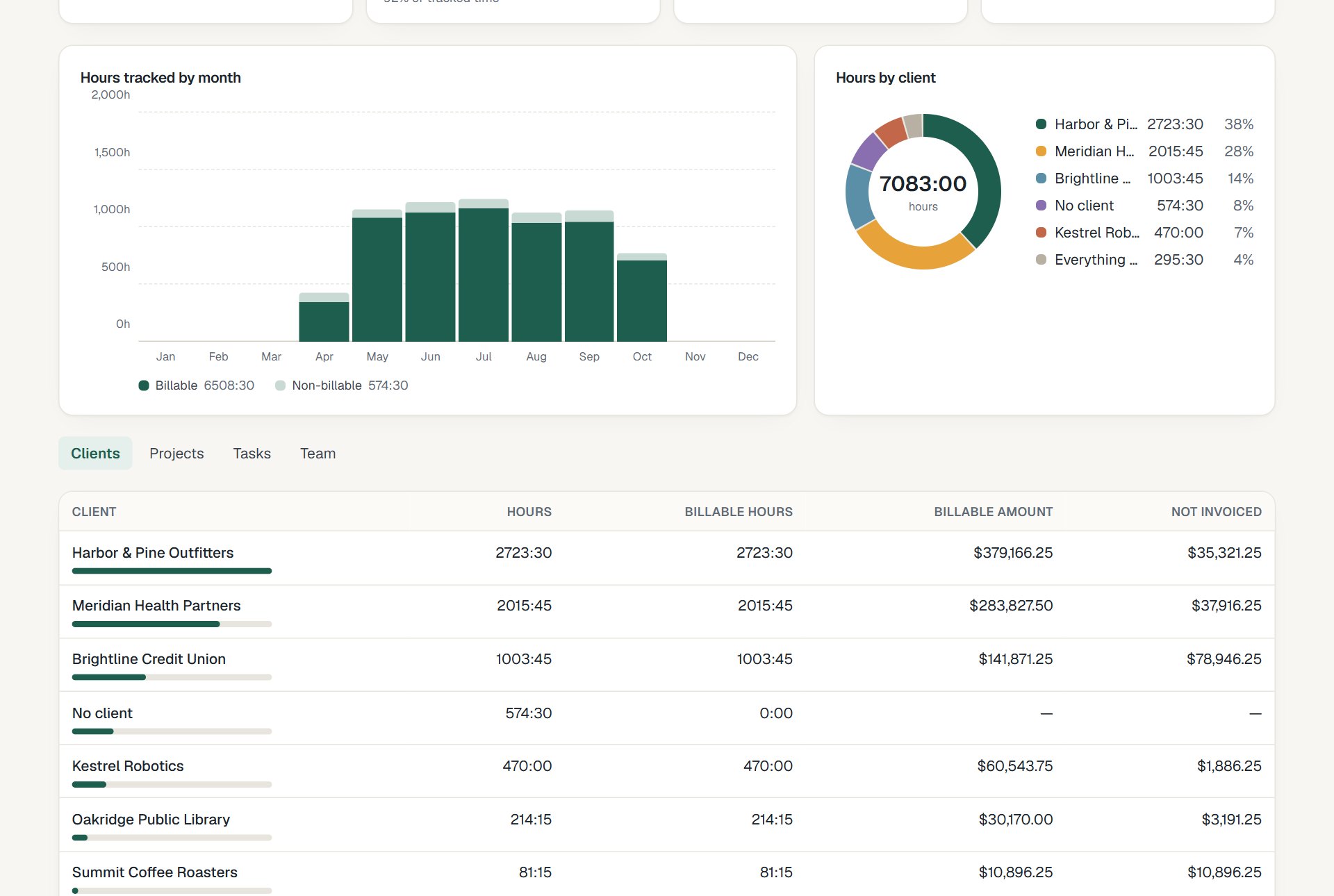
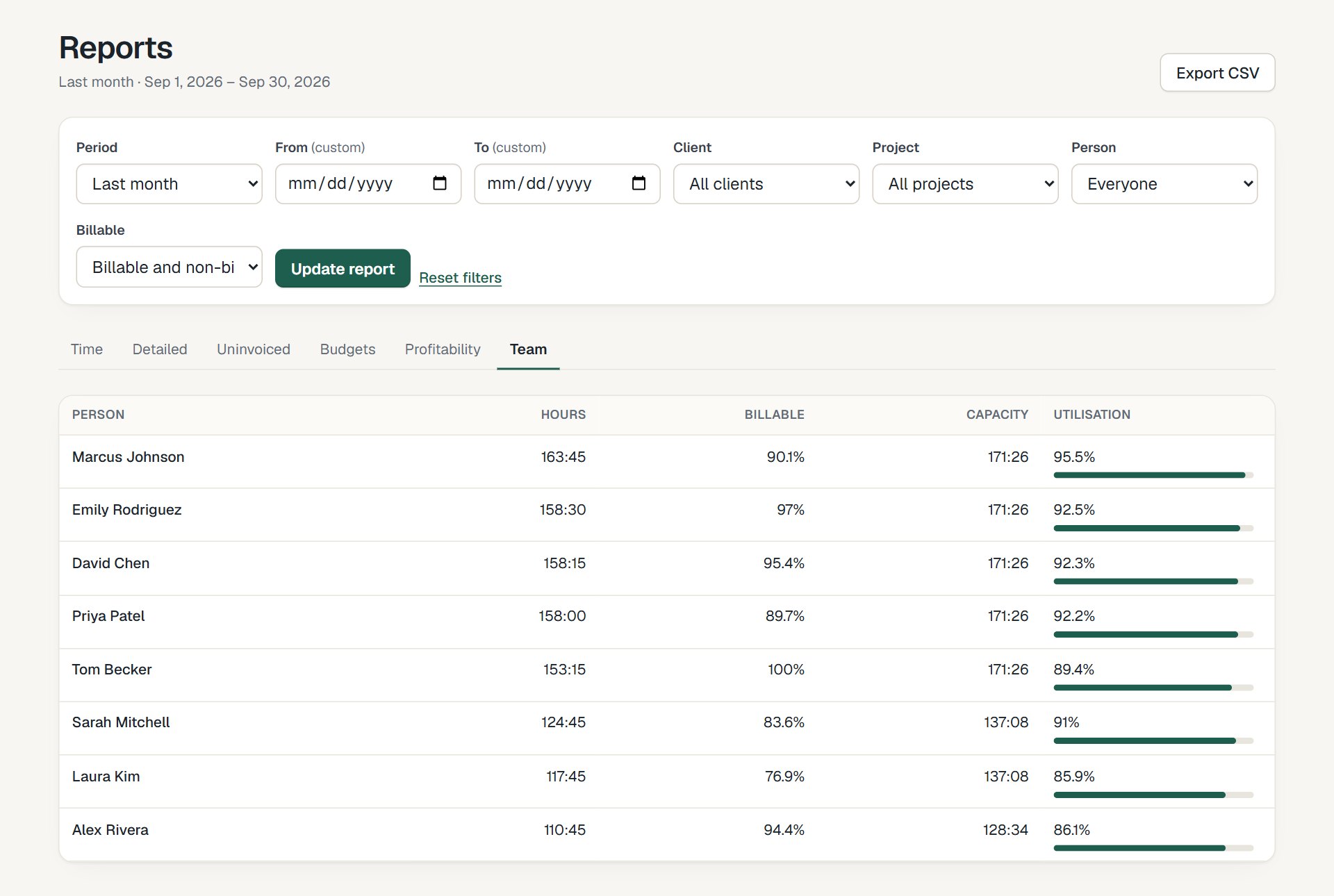
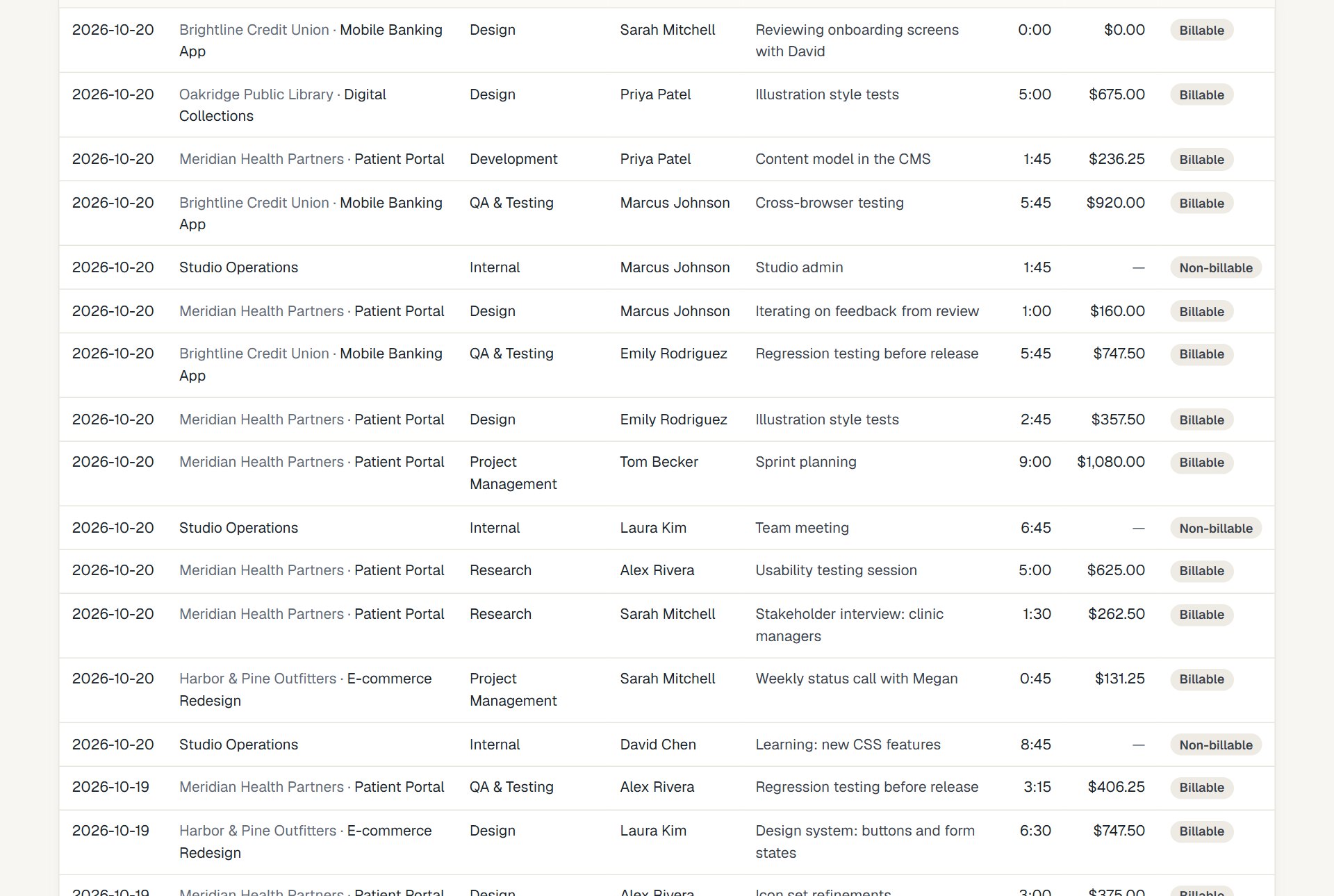
Hours by day, week or month, and a breakdown by client, project, task or person.
Profit, not just hours
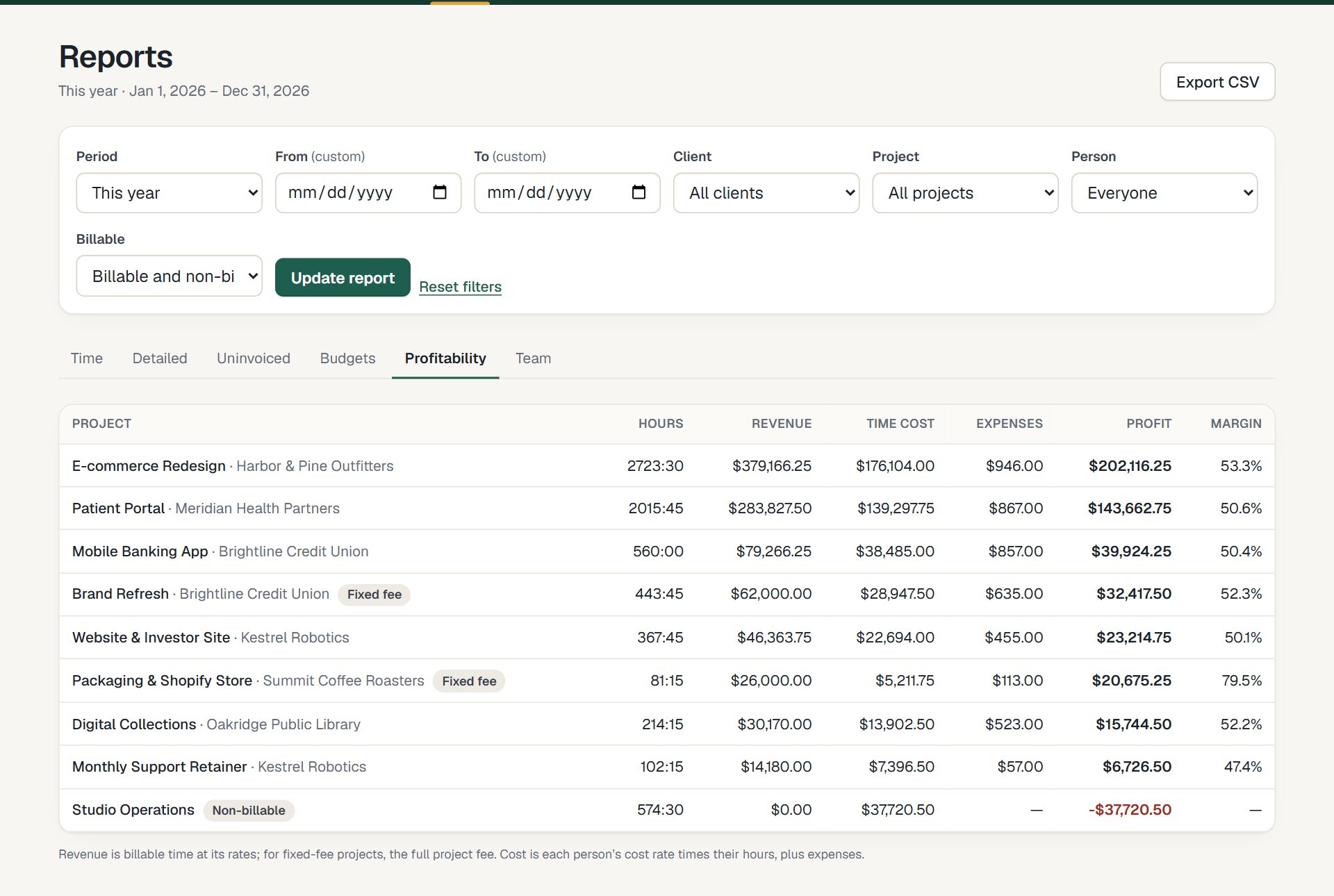
Revenue, cost and margin per project from your billable and cost rates.
CSV in one click
Every report exports to CSV that opens cleanly in Excel or Google Sheets.
See it work
Recorded in the real product
No mock-ups: this is LockedHours today, with a demo account.
What happens in this clip
- The time report shows hours per month as bars and hours per client as a donut chart.
- The pointer moves over the bars to show billable and non-billable hours per month.
- The report is grouped by project, then the profitability report shows revenue, cost and margin per project.
Profitability
Find out which work pays
For every project: hours, revenue, time cost, expenses, profit and margin. Fixed-fee and hourly projects side by side.
- Margin per project and client
- Cost rates per person, with history
- Fixed fees counted correctly
Uninvoiced
Never leave billable hours behind
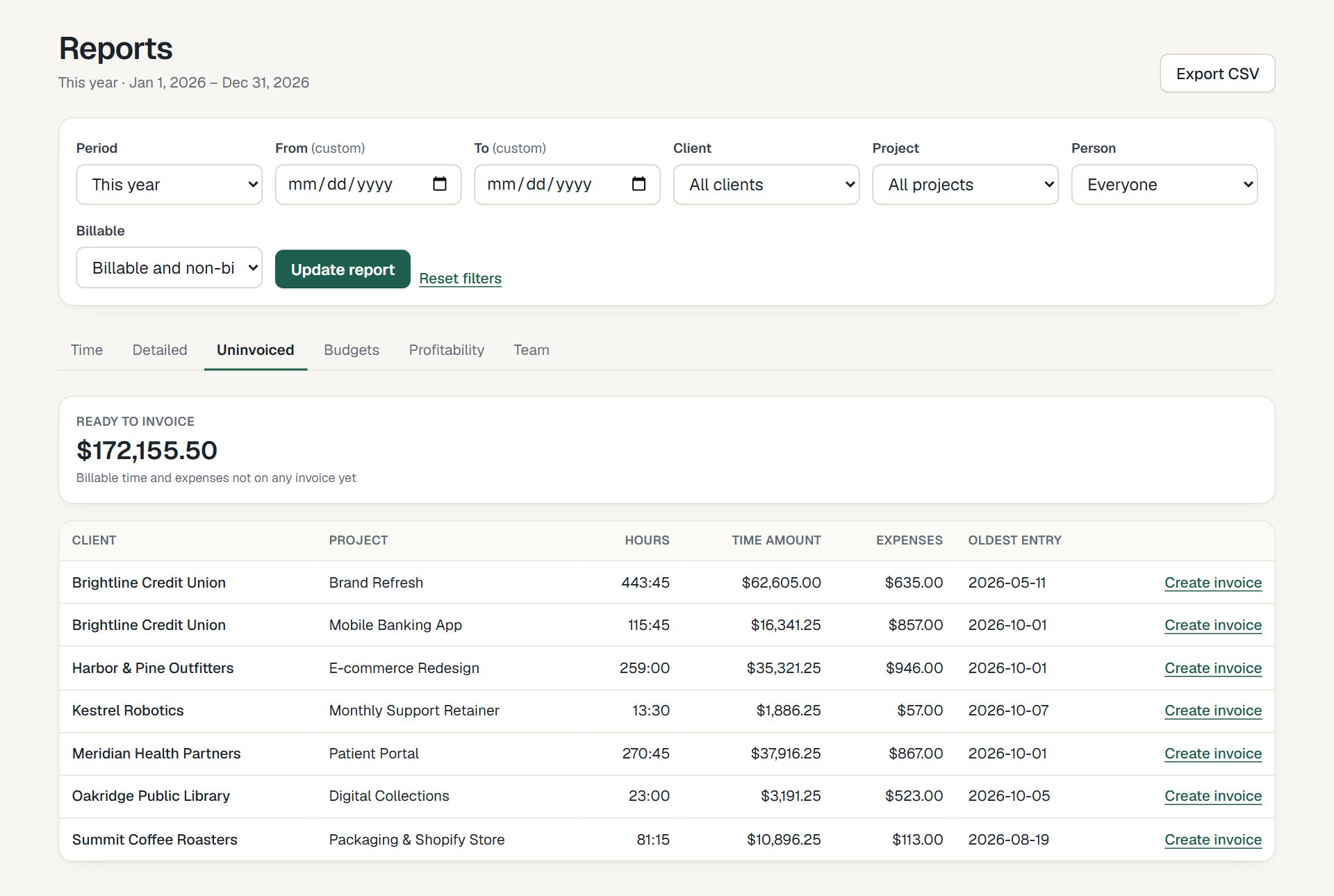
The uninvoiced report lists every client and project with time and expenses not yet billed, and how old the oldest entry is.
- Amount not yet invoiced per project
- Oldest unbilled entry
- Jump straight to creating the invoice
More screens
Everything connected, nothing to set up twice
How it fits together
From the first hour to a paid invoice
Time, budgets, invoices and reports share the same data, so nothing is typed twice.
- 1
Track
Timer or timesheet, on any device.
- 2
Review
Budgets and reports update as you go.
- 3
Bill
Uninvoiced hours become an invoice.
- 4
Understand
See what each project really earned.
Questions about reports
Something else? Email us. We aim to reply within 2 business days.
Related
Guides
Who can see money in reports?
Admins and managers. Members only see their own hours, without amounts.
Can I report on a custom period?
Yes: this week, last month, this quarter, this year, all time, or any custom dates.
Do reports include my imported history?
Yes. Imported time entries, invoices and rates are reported exactly like new ones.