Time tracking
Time tracking software your team will actually keep up with
A timer that starts in two clicks, a day view that shows exactly where the hours went, and totals that add up as you go. Every entry carries its client, project, task and rate, so reports and invoices are ready when you are.
- No card needed
- $6 per seat, locked
- Every feature included
Time tracking highlights
Two clicks to start
Pick a project and task, press start. Or type 1:30, 1.5 or 90m and move on.
Billable by default
Each task knows whether it's billable, and each entry picks up the right rate automatically.
History you can trust
Once hours are on an invoice they lock, so last month's numbers never quietly change.
See it work
Recorded in the real product
No mock-ups: this is LockedHours today, with a demo account.
What happens in this clip
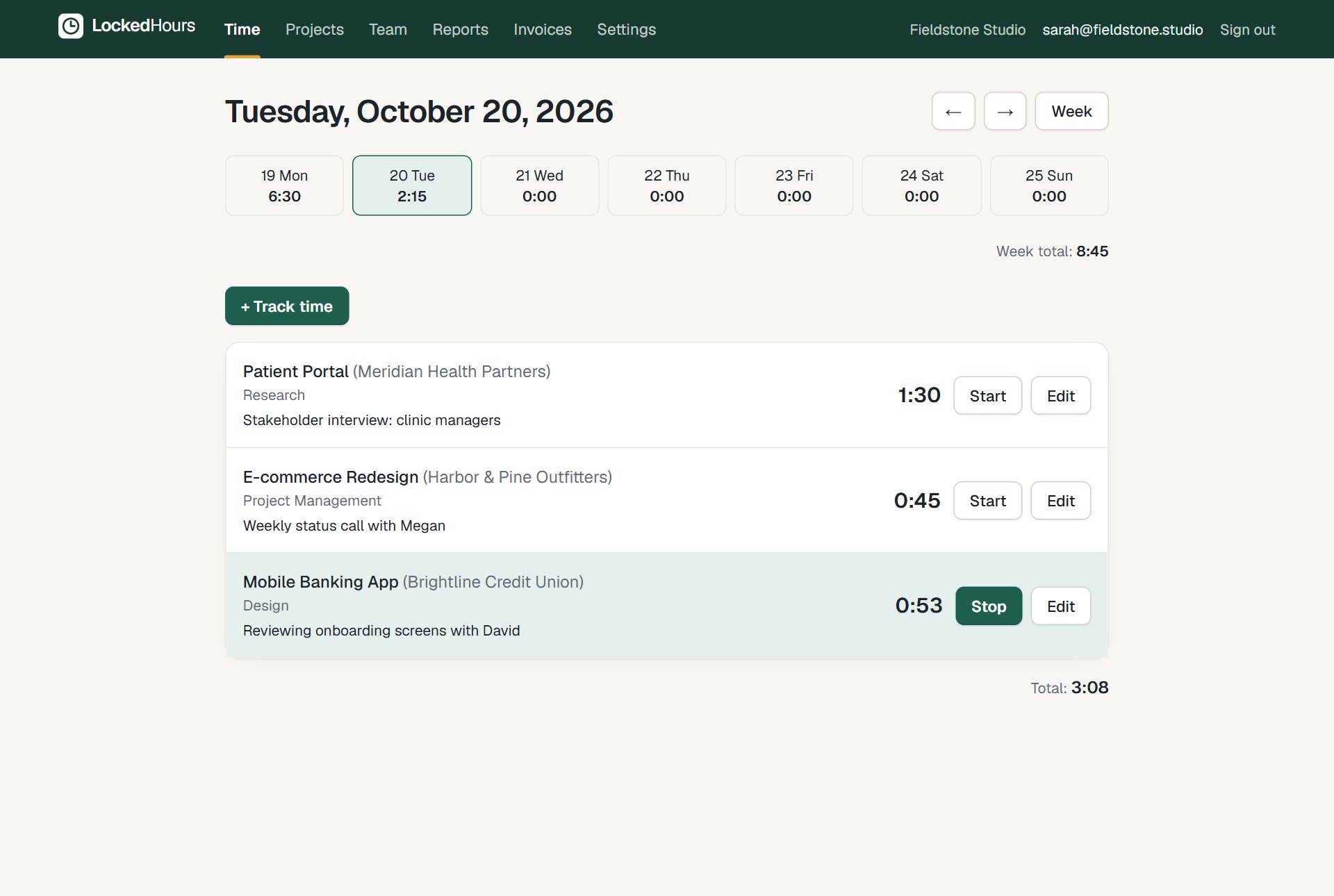
- The day view shows today's entries and a timer that is already running.
- Track time is clicked; a project, a task and a note are chosen.
- Save or start timer starts a new timer, which appears at the top.
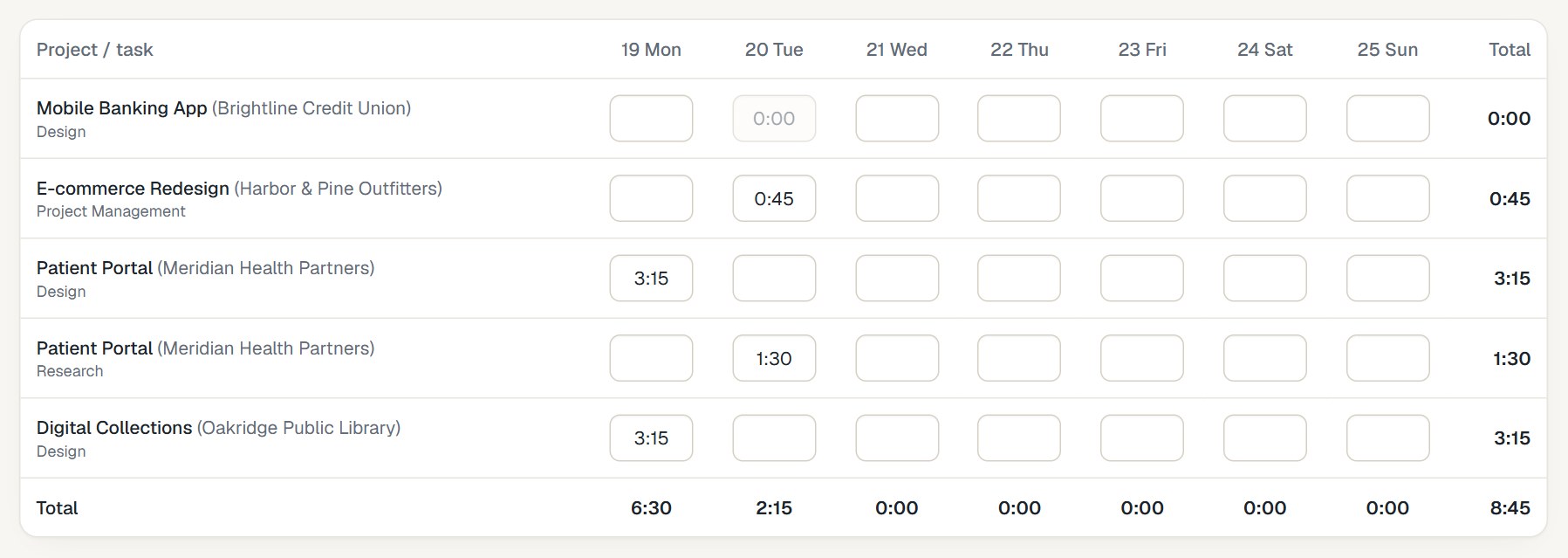
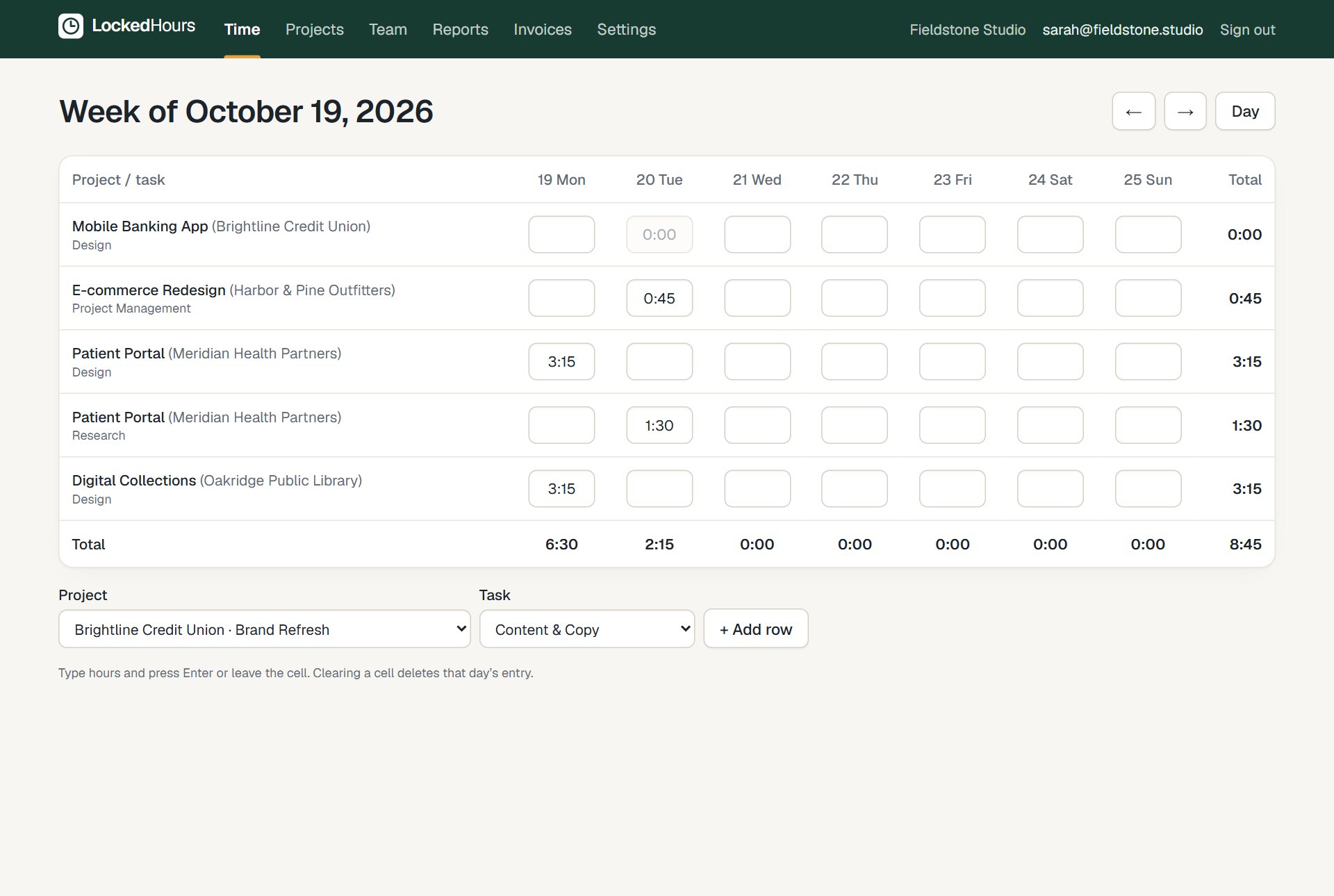
- The week view opens with every project and task as a row and every day as a column.
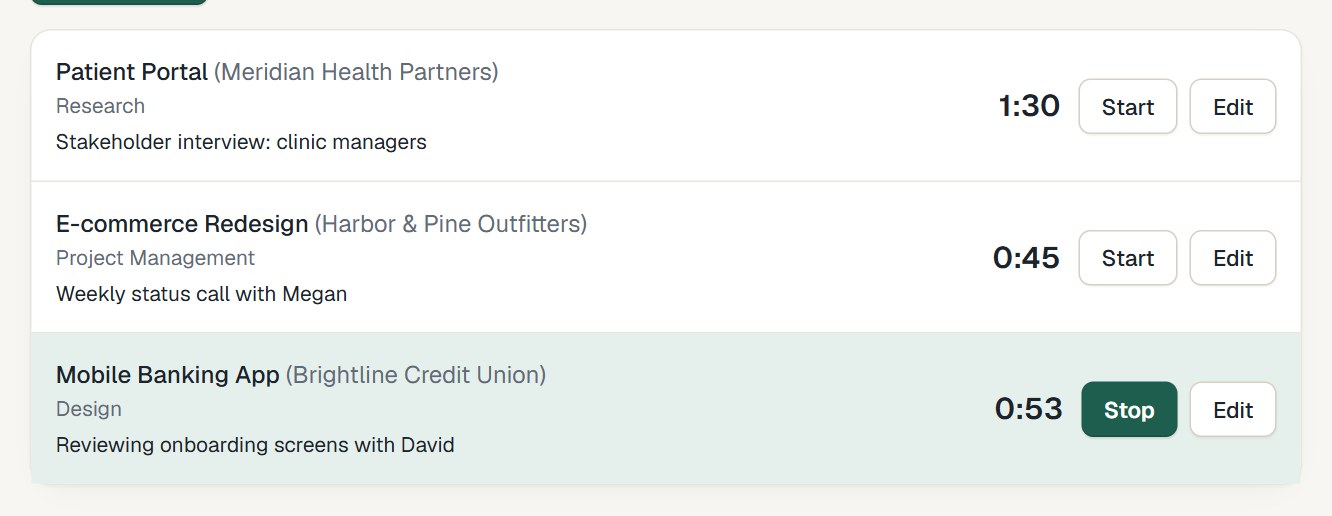
Day view
See today at a glance
Every entry with its client, task and notes. Restart yesterday's work with one click, edit anything inline, and watch the week total update.
- One running timer per person, never two by mistake
- Notes on every entry, for you and for the invoice
- Restart any entry to keep tracking the same work
Week view
Fill in the whole week in one place
Prefer timesheets? The week grid shows every project and task as a row and every day as a column. Type the hours, press Enter, done.
- Add a row for any project and task
- Totals per day, per row and for the week
- Clearing a cell deletes that day's entry
More screens
Everything connected, nothing to set up twice
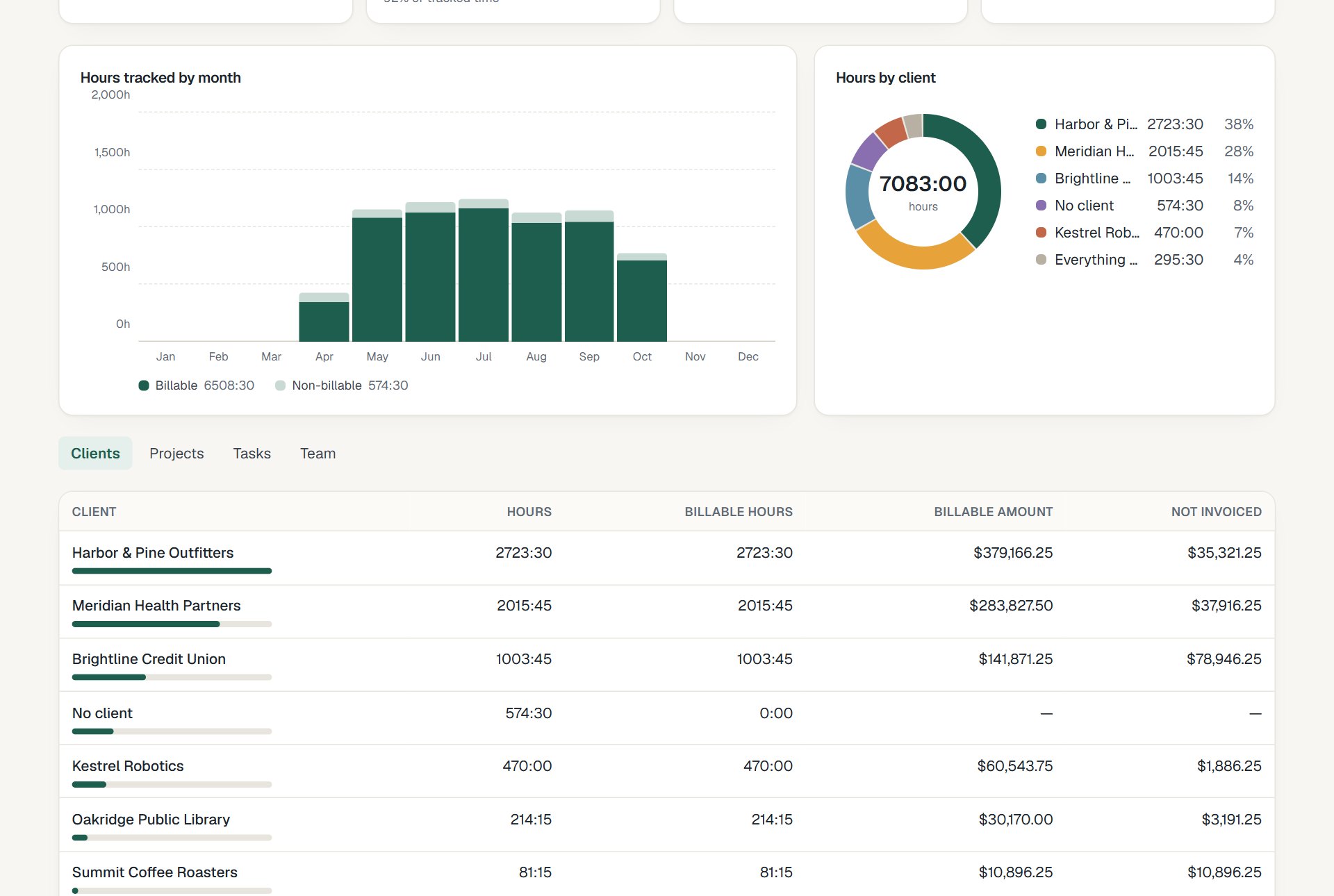
How it fits together
From the first hour to a paid invoice
Time, budgets, invoices and reports share the same data, so nothing is typed twice.
- 1
Track
Timer or timesheet, on any device.
- 2
Review
Budgets and reports update as you go.
- 3
Bill
Uninvoiced hours become an invoice.
- 4
Understand
See what each project really earned.
Questions about time tracking
Something else? Email us. We aim to reply within 2 business days.
Related
Guides
Can people track time without a timer?
Yes. Type the hours on the day view or fill in the week grid. 1:30, 1.5 and 90m all mean an hour and a half.
What happens if someone forgets to stop a timer?
Only one timer can run per person. Starting a new one stops the old one, and any entry can be edited afterwards until it's invoiced.
Does it work on phones?
Yes. LockedHours works in any mobile browser and installs on your home screen (Android and iPhone) or your computer, in its own window. Timers keep working offline. Apps in the App Store and Google Play come later.
Can members see each other's time?
Members see their own time. Managers and admins see everyone's, with reports and rates.
Can people log expenses too?
Yes. Add an expense to a project with a photo or PDF of the receipt, mark it billable, and it goes on the client's invoice with the hours. Mileage can be priced per mile or kilometre.