Project budgets
Project budget tracking that spots overruns before the client does
Give every project a budget in hours or money, total or per month. LockedHours keeps score as time comes in, shows every project at a glance, and emails managers when one reaches the threshold you set.
- No card needed
- $6 per seat, locked
- Every feature included
Project budgets highlights
Hours or money
Budget by total hours, total fees or cost, for the whole project or each month.
An alert at 80%
Managers get one email when a project crosses the line you set, not a flood.
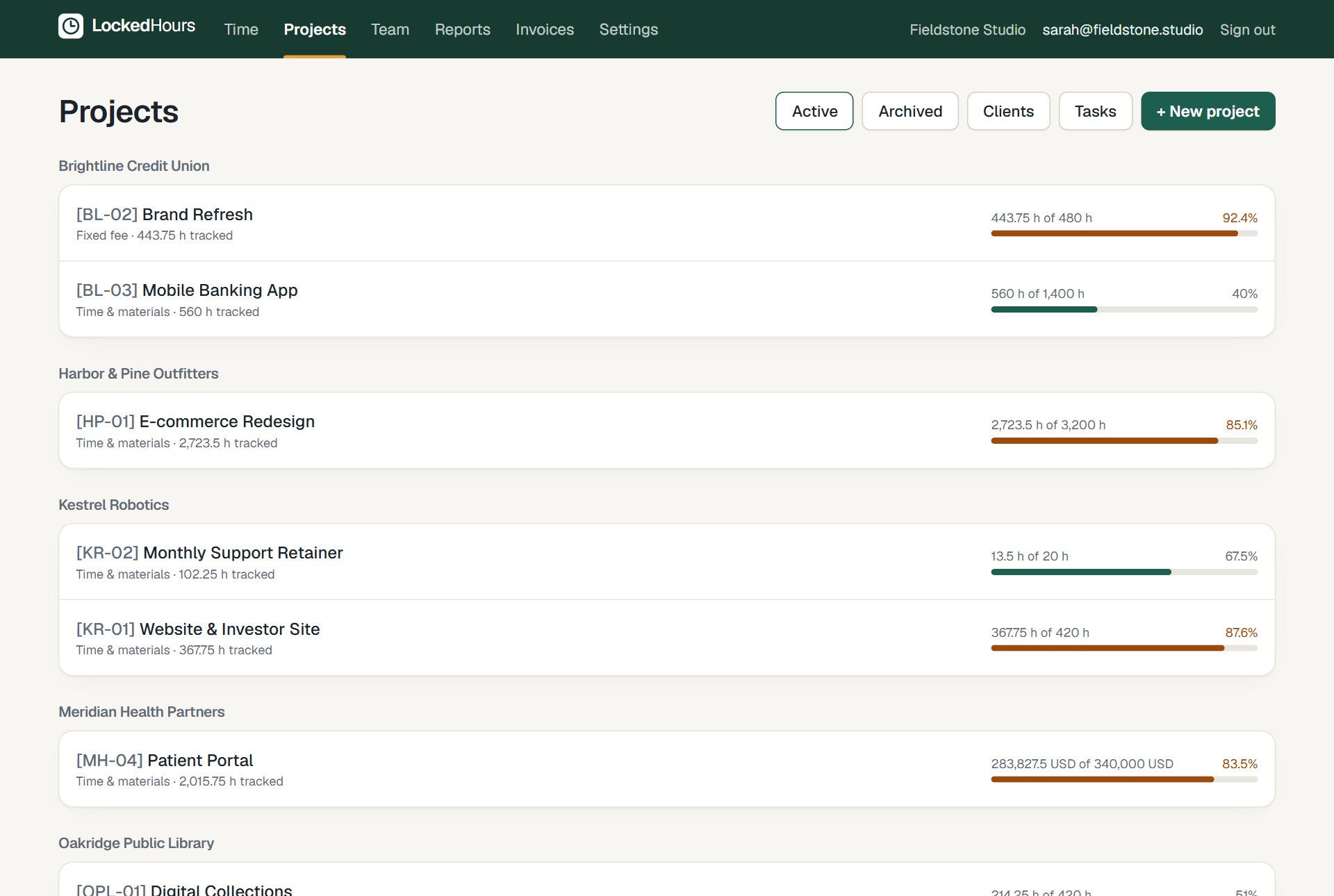
Every project at a glance
Green while there's room, amber when it's getting close, red when it's over.
See it work
Recorded in the real product
No mock-ups: this is LockedHours today, with a demo account.
What happens in this clip
- The projects list shows each project's budget as a bar with the percent used.
- A project is opened, showing its budget, hours by task and hours by person.
Project page
Who spent the hours, and on what
Open any project to see its budget, hours by task and hours by person. Spot scope creep while there's still time to talk to the client.
- Budget used, remaining and percent
- Hours by task and by person
- Fixed-fee and time-and-materials projects
Budget report
All your budgets in one report
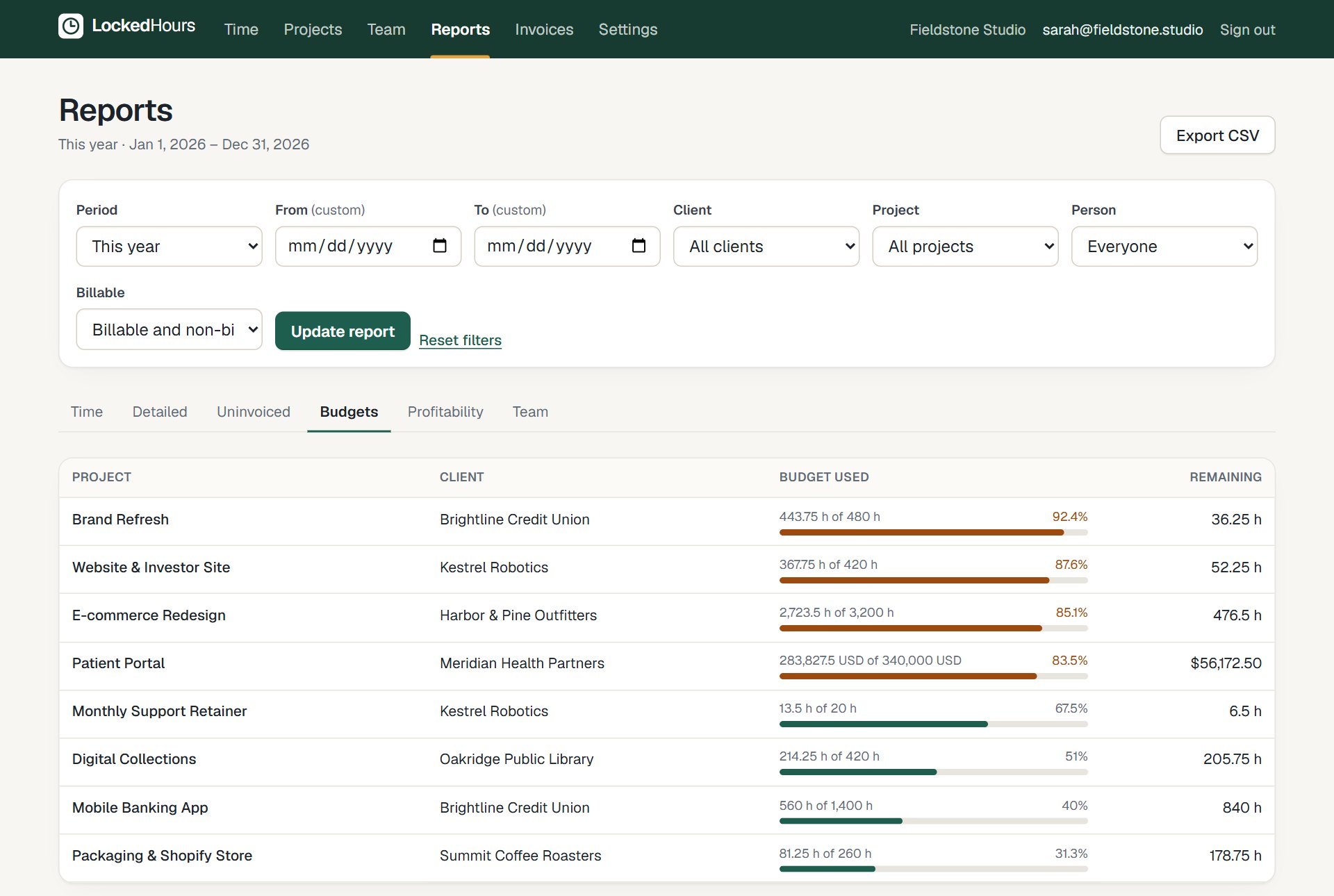
The budgets report lists every active project with what's been spent and what's left, ready to export to CSV for your Monday meeting.
- Spent, remaining and percent for every budget
- Export to CSV
- Monthly budgets reset on the first of the month
How it fits together
From the first hour to a paid invoice
Time, budgets, invoices and reports share the same data, so nothing is typed twice.
- 1
Track
Timer or timesheet, on any device.
- 2
Review
Budgets and reports update as you go.
- 3
Bill
Uninvoiced hours become an invoice.
- 4
Understand
See what each project really earned.
Questions about project budgets
Something else? Email us. We aim to reply within 2 business days.
Related
Guides
Who gets the budget alert?
Project managers on that project, plus admins. One email per threshold crossing.
Can a budget reset every month?
Yes. Mark the budget as monthly and it's measured against the current month's time.
Do fixed-fee projects work?
Yes. Set the fee and an hours budget, and the profitability report shows what the project really earned.