Timesheets
Online timesheets without the spreadsheet
Some people live in a timer; others prefer to fill in the week on Friday. LockedHours gives them a clean grid: projects and tasks down the side, days across the top, totals everywhere.
- No card needed
- $6 per seat, locked
- Every feature included
Timesheets highlights
The whole week in one grid
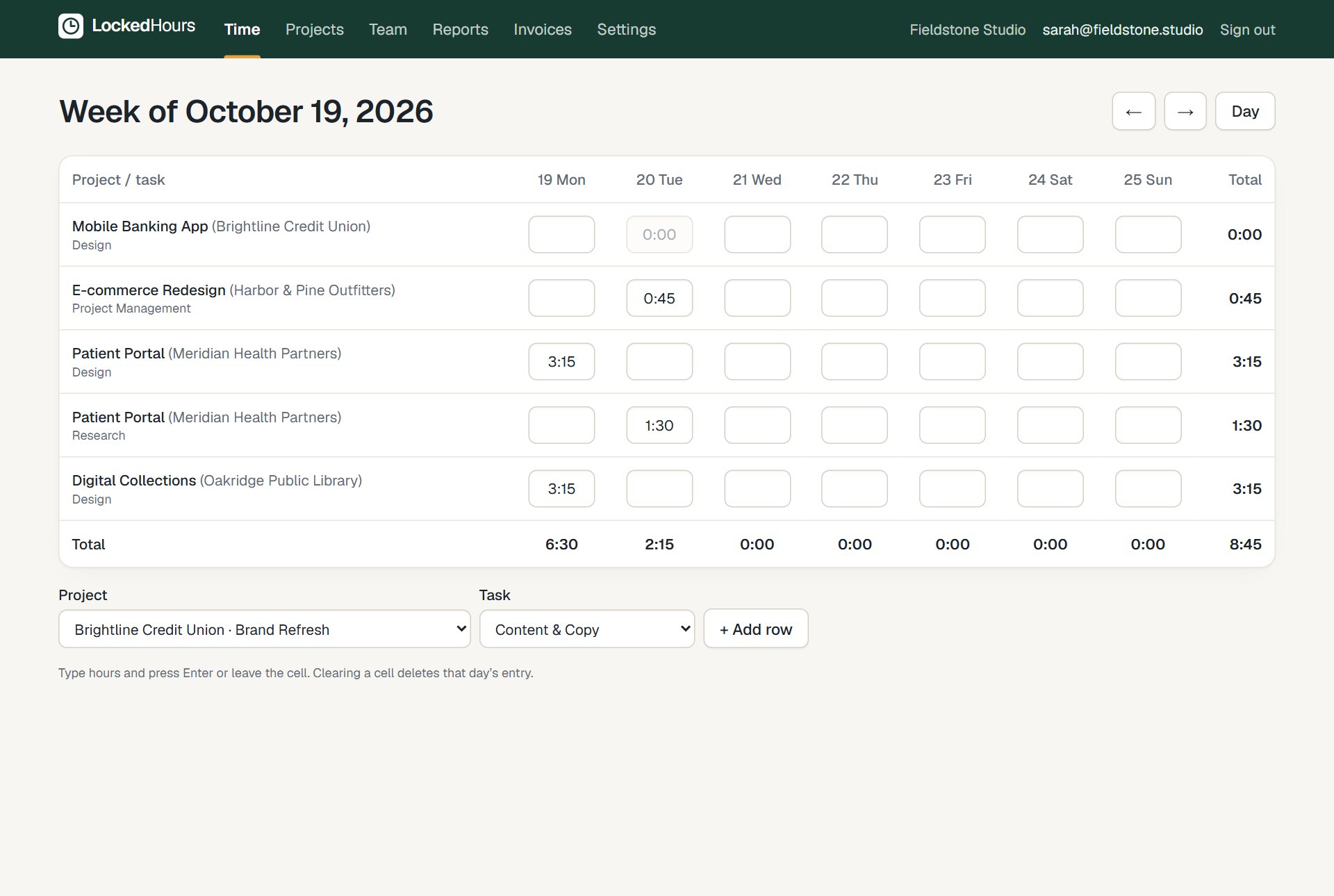
Every project and task you work on as a row, every day as a column.
Fast keyboard entry
Type 7.5 or 7:30, press Enter or Tab, and keep going.
Totals that add up
Per day, per row and for the week, so gaps stand out before Friday ends.
See it work
Recorded in the real product
No mock-ups: this is LockedHours today, with a demo account.
What happens in this clip
- The day view shows today's entries and a timer that is already running.
- Track time is clicked; a project, a task and a note are chosen.
- Save or start timer starts a new timer, which appears at the top.
- The week view opens with every project and task as a row and every day as a column.
Week grid
Built for people who log time at the end of the week
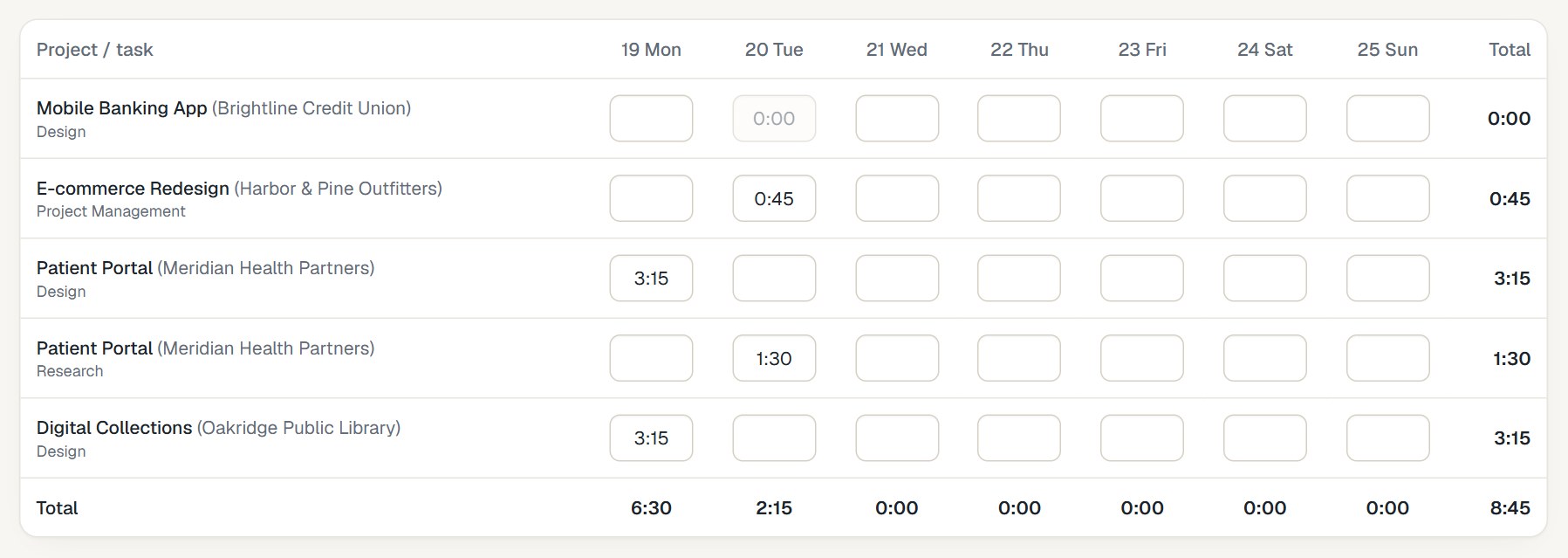
Add rows for the work you did, type the hours, and you're done. Each cell is a real time entry, so it flows straight into budgets, reports and invoices.
- Add a row for any project and task
- Locked cells show hours that are already invoiced
- Switch to the day view to add notes
For managers
See who's logged their week
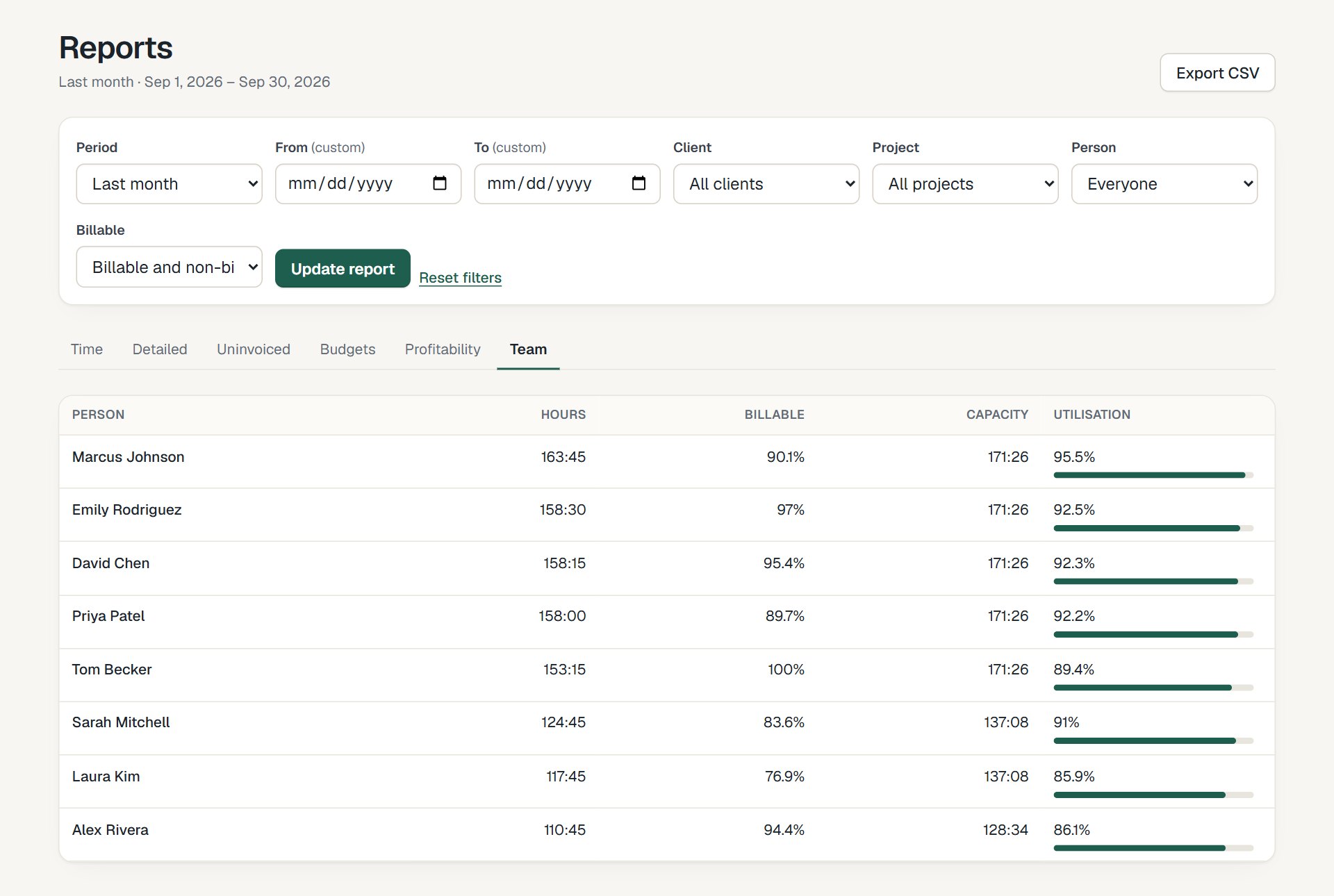
The team report shows hours, billable share and utilization for everyone, so missing time is easy to spot and chase.
- Hours and billable hours per person
- Utilization against weekly capacity
- Approve submitted weeks, or send them back with a note
How it fits together
From the first hour to a paid invoice
Time, budgets, invoices and reports share the same data, so nothing is typed twice.
- 1
Track
Timer or timesheet, on any device.
- 2
Review
Budgets and reports update as you go.
- 3
Bill
Uninvoiced hours become an invoice.
- 4
Understand
See what each project really earned.
Questions about timesheets
Something else? Email us. We aim to reply within 2 business days.
Related
Guides
Is there a timesheet approval workflow?
Yes, on every plan. Turn on Require timesheet approval: people submit each week, admins and project managers approve it or send it back with a note, and approved time locks.
Can I track time for a past week?
Yes. Move back with the arrows or pick any date; hours that are already invoiced stay locked.
Do timesheets and the timer share the same data?
Yes. The grid and the day view are two views of the same time entries.