Read the Team (utilization) report
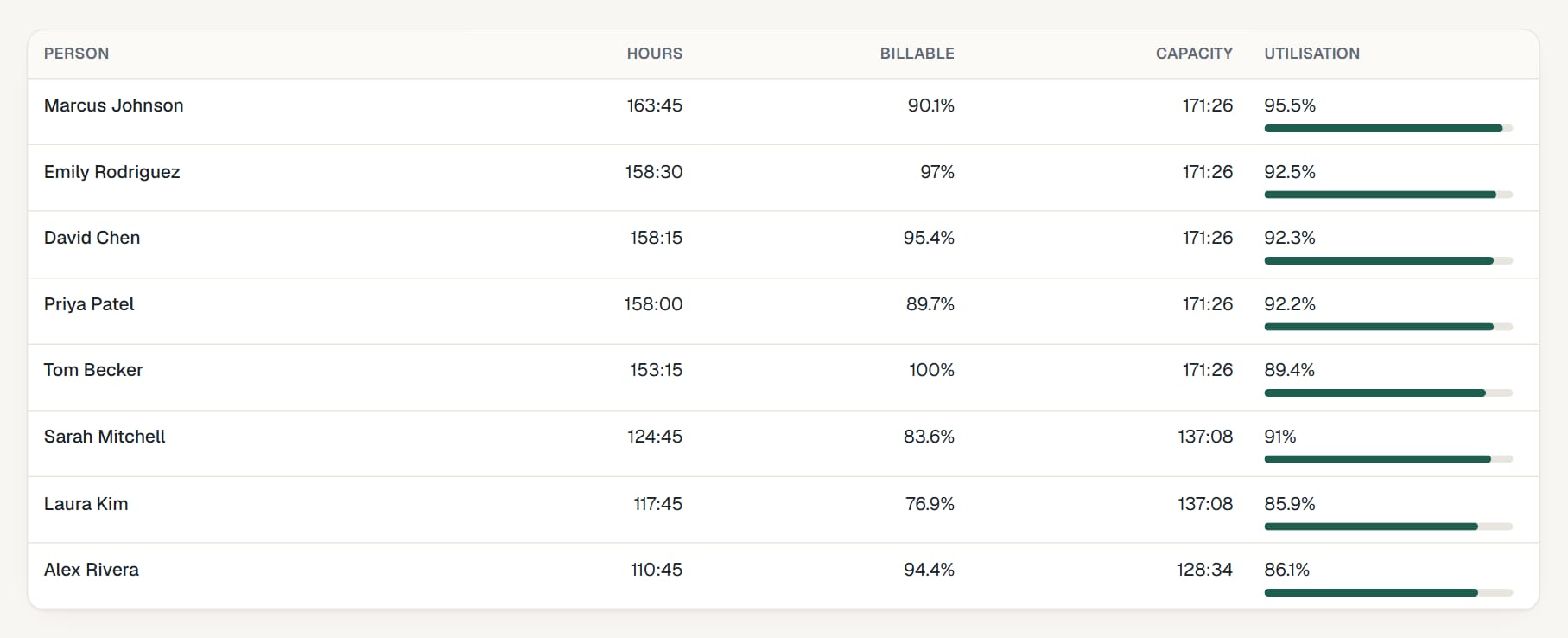
The Team tab shows how each person's time splits between billable and non-billable work, and how much of their capacity they used.
Who can do this: Admins and managersUpdated · 2 min read
Go to Reports and click Team. Each row is a person: Hours, Billable (the share of their hours that is billable), Capacity (their weekly capacity × the weeks in the period) and Utilisation (hours ÷ capacity, with a bar).
 (opens the full-size image)
For background on targets and how to use these numbers, read our guide How to calculate utilization rate.
Didn’t find what you needed?
Ask in Help inside the app, or email [email protected]. We aim to reply within 2 business days.