Export all your data
One click downloads your whole account: people, clients, projects, every time entry, invoices, payments, expenses and estimates.
Who can do this: AdminsUpdated · 2 min read
Step 1: Click Settings in the top menu and scroll to Data & account.
Step 2: Under Export your data, click Download export (.zip).
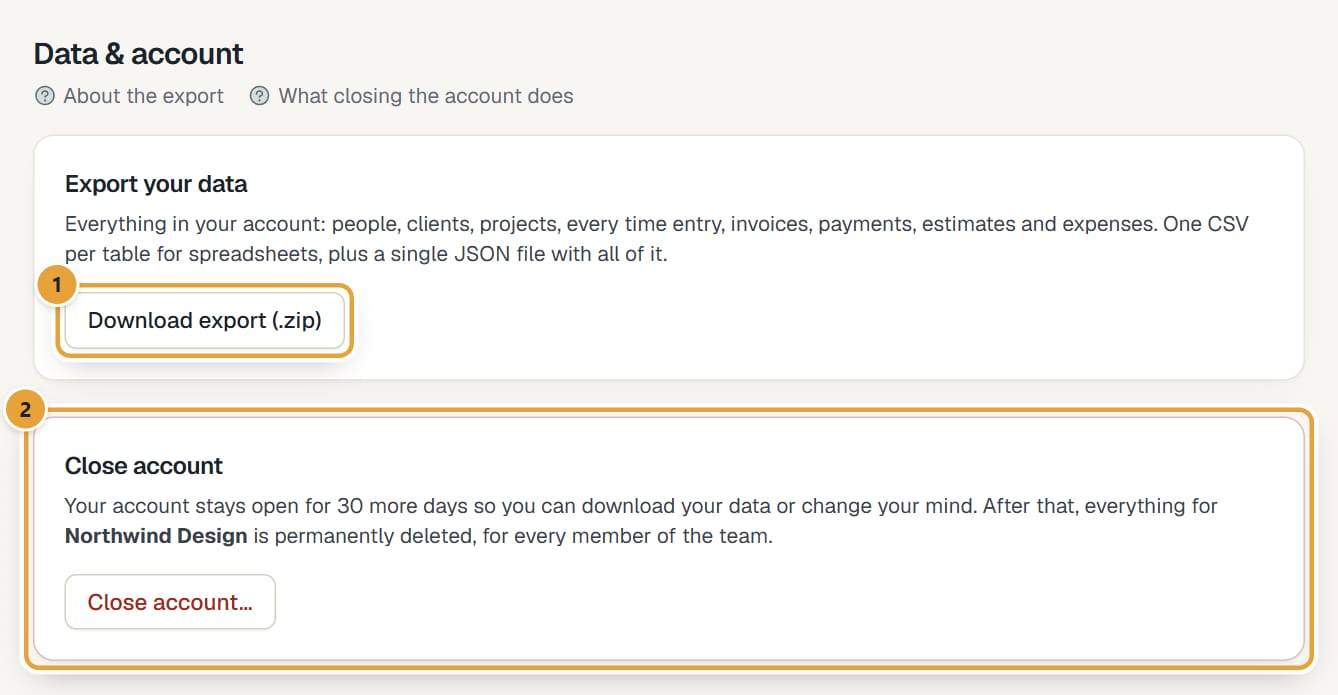 (opens the full-size image)
Step 3: Your browser saves lockedhours-export- plus today's date .zip. Large accounts take a few seconds to prepare.
What's inside
- A csv folder with one file per table: company, people, person_rates, clients, contacts, tasks, projects, project_people, project_tasks, time_entries, expense_categories, expenses, invoices, invoice_lines, invoice_payments, estimates, estimate_lines and recurring_invoices.
- lockedhours-export.json: the same tables in one file, for developers and other tools.
- A short read-me. The files are UTF-8; ids link the tables together (for example, a time entry's project_id is a project's id).
- Hours are decimal (1.5 = 1 h 30 min). Money is in each client's currency.
The export works during the trial, after it ends (when the account is read-only), and while a closure is scheduled. For a single report, use Export CSV on the Reports page: Export a report to CSV.
Common problems
"Only admins can export the whole account."
Ask an admin to download it. Everyone can export their reports to CSV.
Didn’t find what you needed?
Ask in Help inside the app, or email [email protected]. We aim to reply within 2 business days.