Invoicing in Spain and other countries with special rules
Some countries require certified software or government e-invoicing platforms. There, LockedHours prepares a pro forma from your hours, and you issue the legal invoice in your certified software.
Who can do this: Admins and managersUpdated · 2 min read
Why some countries are blocked
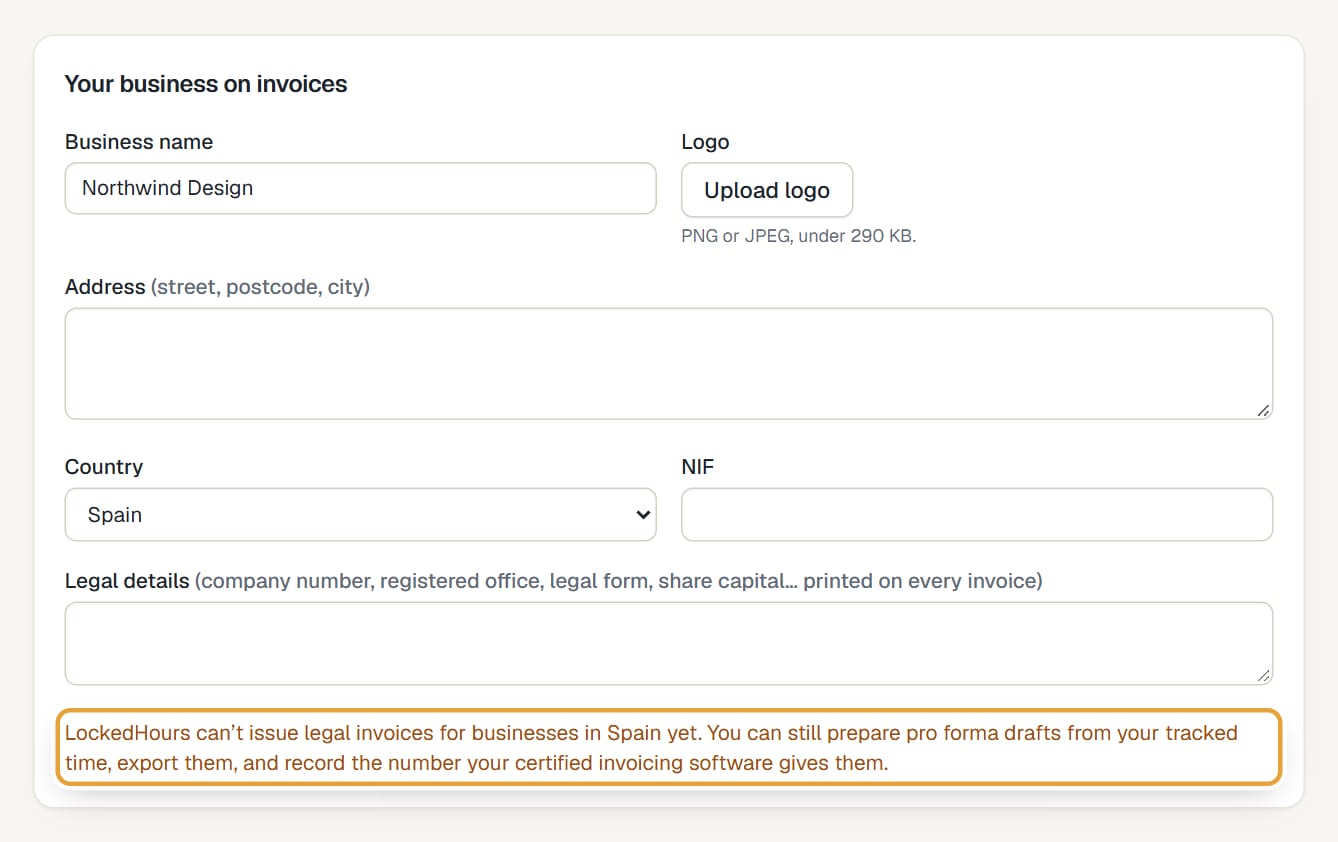
In some countries every invoice must be issued with certified software, or sent through a government platform. LockedHours isn't certified or connected to those systems yet, so it doesn't issue legal invoices there. Choosing such a country in Settings shows a warning straight away.
 (opens the full-size image)
| Situation | Countries (your business's country) |
|---|---|
| No invoices can be issued from LockedHours | Spain (Verifactu, TicketBAI), Portugal, Italy, Poland, Croatia, Greece, Hungary, Romania, Israel, Mexico, Brazil, Argentina, Chile, Colombia, Saudi Arabia, Türkiye, Malaysia |
| Invoices to business clients in your own country can't be issued; other invoices can | Belgium (since 1 January 2026) |
| The same rule from a future date | Slovakia, Norway and the United Arab Emirates (2027), France (September 2027), Germany, Latvia and Slovenia (2028), Ireland (November 2028), United Kingdom (April 2029) |
How to invoice from a blocked country
Step 1: Create the draft from tracked time as usual: Create an invoice from tracked time. The New invoice page reminds you that it will be a pro forma.
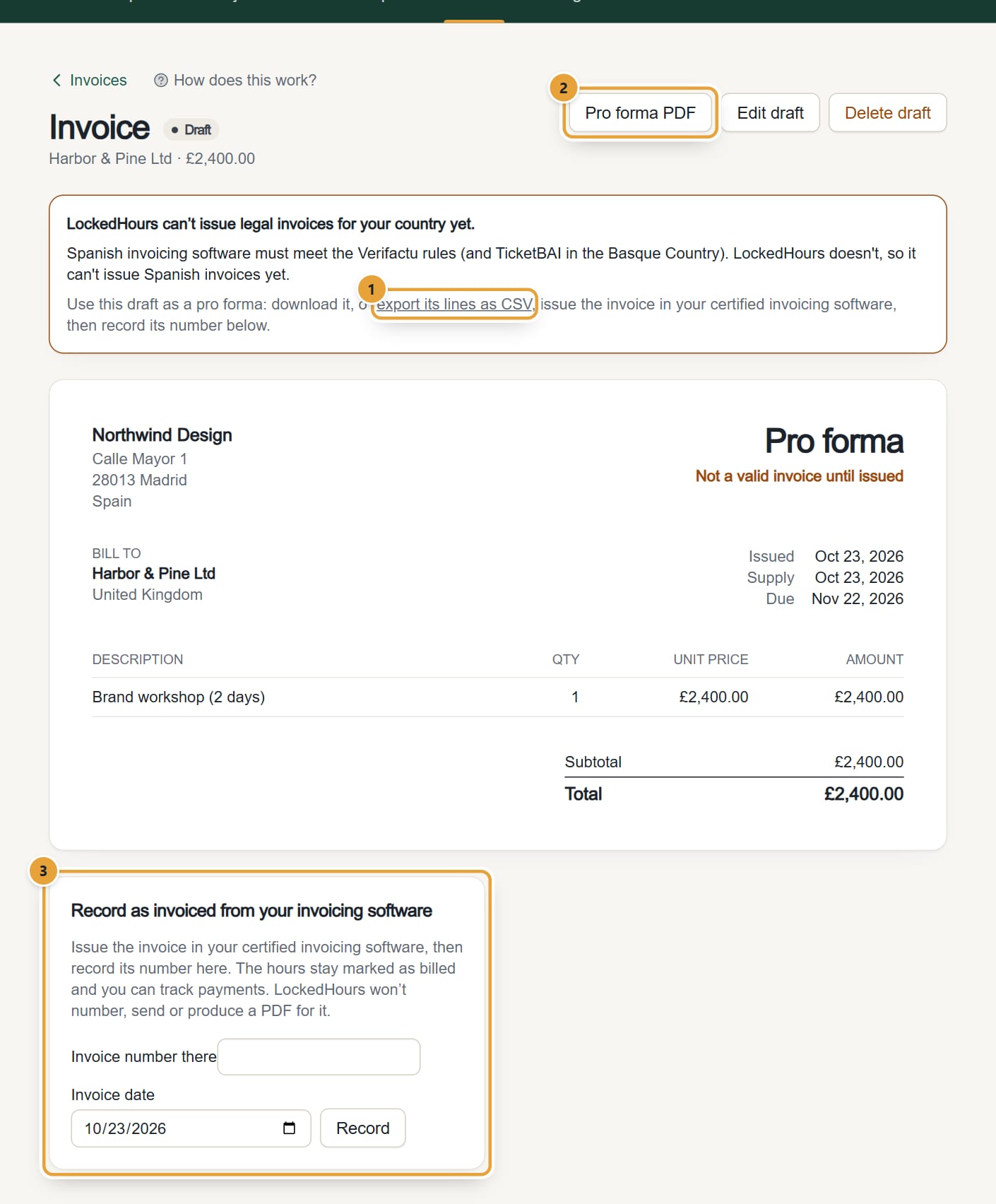
Step 2: On the draft, a box says LockedHours can't issue legal invoices for your country yet. Click Pro forma PDF to download it (marked Not a valid invoice), or export its lines as CSV with every time entry behind them.
 (opens the full-size image)
Step 3: Issue the legal invoice in your certified invoicing software, using the pro forma or the CSV.
Step 4: Back in LockedHours, under Record as invoiced from your invoicing software, type the Invoice number there and the Invoice date, and click Record.
The hours stay marked as billed, and the invoice is listed as Billed elsewhere. You can record payments on it; LockedHours won't number, send or make a PDF of it.
In countries that aren't blocked you can use the same option: click Invoiced from another system? on a draft.
Common problems
"Enter the number the invoice got in your invoicing software."
Type the number before clicking Record.
"Another invoice already has that number."
Each number can be recorded once. Check you didn't record it already.
Didn’t find what you needed?
Ask in Help inside the app, or email [email protected]. We aim to reply within 2 business days.